#6355 Yakuza 0 Director’s Cut v1.11
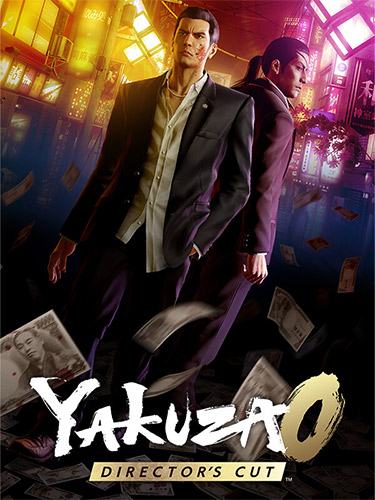
Genres/Tags: Action, Adventure, Arcade, Open world, QTE, Beat 'em up (Brawler), Third-person, 3D
Companies: Sega, Ryū ga Gotoku Studio
Languages: RUS/ENG/MULTI12
Original Size: 73.4 GB
Repack Size: from 15.1 GB [Selective Download]
Download Mirrors (Direct Links)
- Filehoster: DataNodes (Speed & Usability) [Use IDM]
- Filehoster: FuckingFast (REALLY Fucking Fast 🙂 )
- Filehoster: MultiUpload (10+ hosters, interchangeable) [Use JDownloader2]
Download Mirrors (Torrent)
- 1337x | [magnet] [.torrent file only]

- RuTor [magnet]
- Tapochek.net
Discussion and (possible) future updates on CS.RIN.RU thread
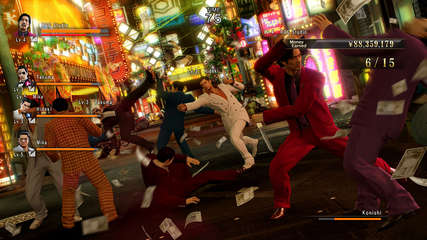
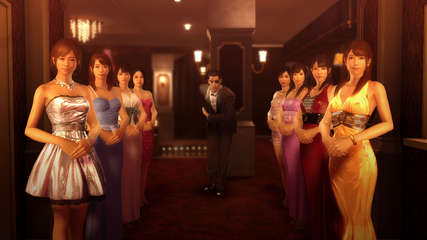
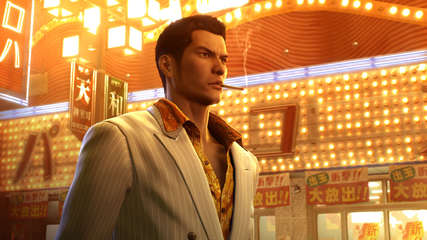
Screenshots (Click to enlarge)
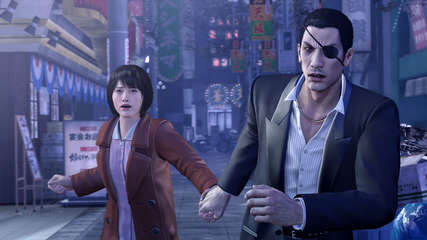
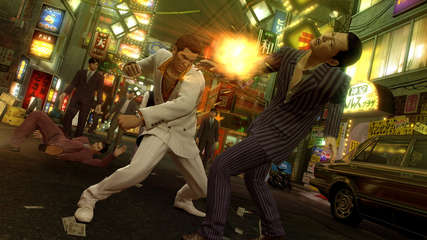

Repack Features
- Based on Yakuza.0.Directors.Cut-RUNE ISO release: rune-yakuza.0.directors.cut.iso (78,791,278,592 bytes)
- Alternative Goldberg crack/emu with achievements support is available in NoDVD folder after installation, thanks to EnekoT2001!
- Game version: v1.11
- 100% Lossless & MD5 Perfect: all files are identical to originals after installation
- NOTHING ripped, NOTHING re-encoded
- Selective Download feature: you may skip downloading and installing of Japanese/Chinese language packs and lowres 1080p videos with outdated MPEG1 codec
- If you skip installing of 1080p videos, VP9 codec 4K videos with a better codec yet lower size will be used by default
- Significantly smaller archive size (compressed from 73.4 to 15.1~49.5 GB, depending on selected components)
- Installation takes from 8 minutes (on 16-threads CPU + SSD, no optionals) up to 1.5 hours (on 8-threads CPU + HDD, all optionals)
- After-install integrity check so you could make sure that everything installed properly
- HDD space after installation: up to 86.3 GB
- Language can be changed in game settings
- After language selection the game may quit, then just run it one more time
- At least 2 GB of free RAM (inc. virtual) required for installing this repack
Black Screen Fixes
If you experience an infinite black screen on startup, try the following steps:
- Open Windows Explorer, go to installed game folder, then to “runtime\media\data\soundpar\” folder, right mouse button on “sound_en.par“, choose “Copy”, then right mouse button on empty space and choose “Paste”. “sound_en – Copy.par” will be created. Rename it to “sound_zh.par“. This will make the game think you have Chinese language installed and allow to proceed to language selection.
- If the issue persists, press Alt+Enter to switch to window mode and then press it once more to switch back to bordrerless – you can repeat it several times, the language selection will appear.
- Still stuck? Try this: https://www.reddit.com/r/yakuzagames/comments/k3n1z3/comment/m780di2/